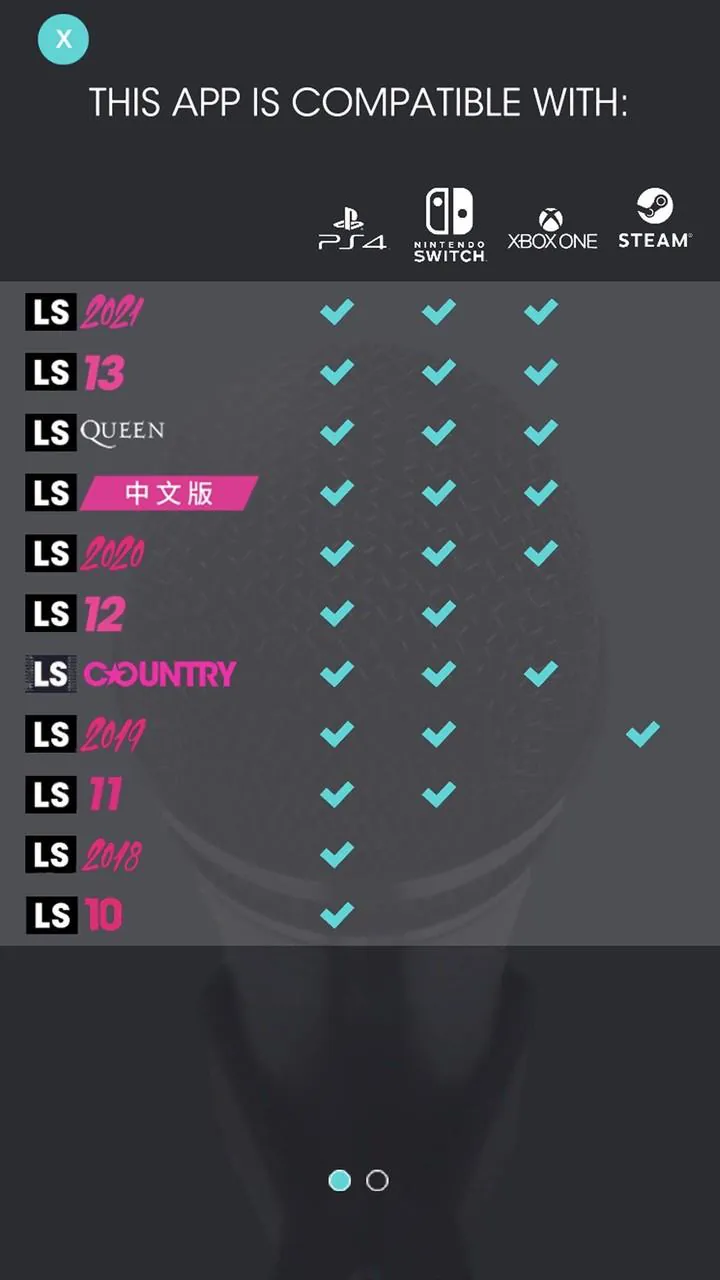
Let's Sing Mic turns your smartphone into a wireless karaoke microphone that works with compatible Let’s Sing console titles, so friends and family can sing together without buying extra hardware. The app connects your phone to the game over a shared Wi‑Fi network, routes live voice input to the running Let’s Sing edition, and walks you through a short, guided pairing process so sessions start quickly and reliably. Designed as a simple companion to the console experience, Let's Sing Mic focuses on dependable audio routing, easy controls and a minimal setup that keeps everyone singing.
At its core the app captures your device microphone and sends that audio to the active Let’s Sing game on the same local network. From a gameplay perspective the app acts as an input device only: the console handles song selection, scoring, pitch tracking and visual prompts, while the phone supplies a calibrated voice feed. Timing and pitch detection are performed by the Let’s Sing title itself, so players experience the same gameplay mechanics they expect from the console game while avoiding the need to plug in physical mics.
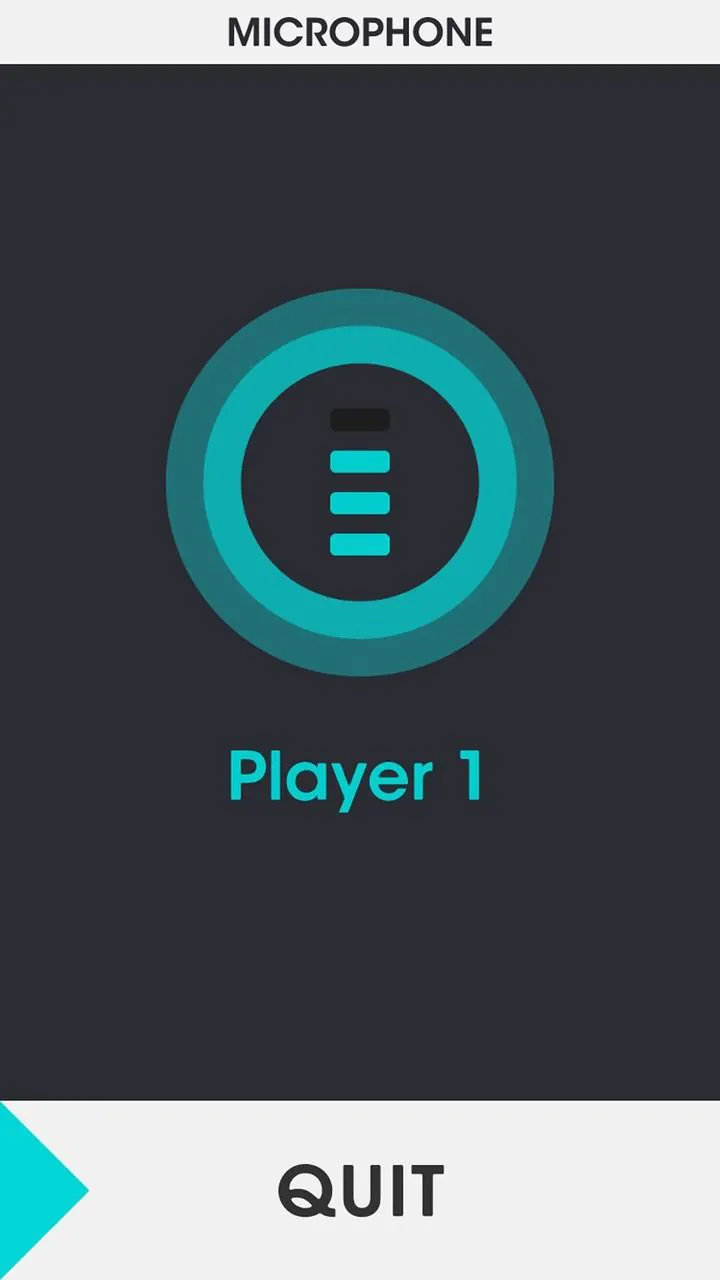
The interface prioritizes large, clear controls so hosts can manage sessions without pausing the party. Typical controls include a connect/disconnect button, a simple pair list for available consoles, an adjustable input sensitivity slider to help reduce clipping, and mute/unmute for quick breaks. The app provides visual confirmation when audio is active and displays basic connection stats to help diagnose latency or network issues. Calibration prompts guide you through a short test so volume and sensitivity are set before you start a song.
Because the app functions as a microphone emulator, progression systems such as song unlocks, player profiles, scoring, and career or party modes remain part of the Let’s Sing console software. The companion app does not change game progress or scoring; instead it preserves the existing progression model by supplying microphone input that the console recognizes. Any leaderboards, unlock requirements, or challenge modes you enjoy in Let’s Sing continue to operate exactly as they do when using physical microphones.
The app uses a clean, high‑contrast layout that mirrors the simplicity of a physical microphone — large icons, readable labels and step‑by‑step pairing hints that are visible from across a living room. It does not replicate the full visual show of the console game; rather it provides useful, glanceable information while the television remains the primary stage for lyrics, scoring and visual performance cues. Level structure and song lists remain on the console, ensuring your play sessions keep the familiar Let’s Sing pacing and party flow.
Let's Sing Mic offers practical customization targeted at ease of use: adjust microphone sensitivity, toggle short tone prompts during pairing, and enable larger buttons for easier control during parties. Accessibility considerations include clear contrast, legible fonts and concise on‑screen instructions so guests can pair quickly. The app also includes support notes for consoles that require account linking or additional sign‑in steps, helping hosts prepare before guests arrive.
Replay value comes from seamless integration with the console’s existing song library and party modes — because the app removes hardware barriers, more people can participate and take turns, which naturally increases session variety. Challenge systems such as duet modes, streak scoring or genre playlists are handled by the Let’s Sing software; the app keeps the experience smooth by minimizing setup friction and ensuring reliable input during competitive or casual sessions. Small quality‑of‑life details, like quick reconnect after a temporary network drop and clear error messages, contribute to a frustration‑free user experience.
The app requires all participating devices and the console to be on the same local Wi‑Fi network, but it does not require internet access for pairing when the local network is self‑contained. If your console edition requires account linking or online features for certain modes, those steps remain part of the console workflow and the app provides guidance for those cases. For best results use a stable local network and keep the console software updated; the app is intended to be a straightforward, portable alternative to dedicated microphones and works best as a companion to the Let’s Sing family of titles.
File size: 26.36 M Latest Version: 3.8
Requirements: Android Language: English
Votes: 304 Package ID: com.voxler.ls2018CompanionApp.PS4

Top Free Casual Necessary Games for Android
Looking for some quick gaming fun? Our new super-casual game is perfect for entertaining bursts in your busy day. With simple, intuitive gameplay crossed with challenges that engage your brain, you'll keep coming back again and again. No complex controls or tutorials - just open and play anywhere, anytime. Vibrant art style and upbeat music create a lighthearted experience.






LIVE A HERO
Retro Hero Mr Kim
Empire of Passion
Arcane Quest Legends
Magic Snap: Momotaro
AllStar Manga Heroes
Lunescape
ONE PIECE Thousand Storm JP
Tap Titans 2