
Scan to Download
Horizon Modding Kernel is a flexible modding platform for Android players who want to customize and expand their mobile games with modular content and stable runtime support. This editor-style release description explains how the app organizes mods into separate profiles, runs multiple mod packs concurrently, and provides mod creators with a set of systems—items, machines, crafting, custom user interfaces, and new biomes or dimensions—that change gameplay, visuals, and progression without overwriting core game data.
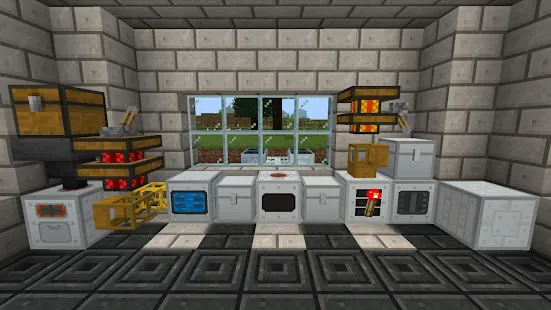
The app supports creation and management of independent mod packs so players can switch setups quickly and test changes without risking existing worlds. Horizon Modding Kernel keeps game worlds, configuration files, and mod assets in separate folders to reduce conflicts between modifications. The platform bridges several common modding APIs to allow cross-integration of systems such as machines and recipe engines, and it exposes a UI system that lets creators design custom menus, HUD elements and interactive panels. Modders can add new items, blocks, machines and unlimited crafting and furnace recipes, while editors and players benefit from performance-focused runtime checks and options to disable experimental modules.
Rather than changing core controls of the base game, the framework provides extension points that let mods register new interactable objects, crafting interactions and machine behaviors that are consistent with standard touch and controller mappings on Android. Players will typically interact with custom machines using the same on-screen gestures and buttons they already know, while advanced mods can present additional touch targets or configurable hotbars. Gameplay mechanics added by mods can expand progression loops: new materials lead to crafting chains, machines automate resource processing, and custom UIs present multistep recipes or configuration panels that feel integrated with the original game experience.
Customization centers on mod packs and profile-driven progression. Each mod pack can introduce new progression tiers, unlockable items, and dimension-based exploration that alters how levels are structured. For example, a mod pack may add a custom biome with its own resource distribution and environmental hazards, encouraging different approaches to exploration and resource management. Players can mix and match mod packs to create emergent progression paths, and creators can define recipes and machine chains that guide players from early-game tools to late-game automation without touching the base save files.
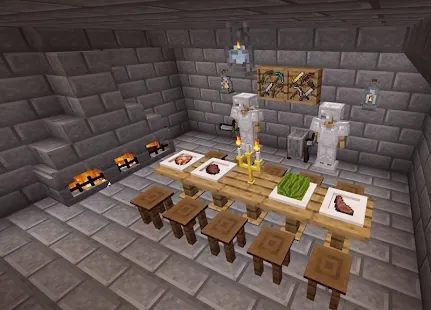
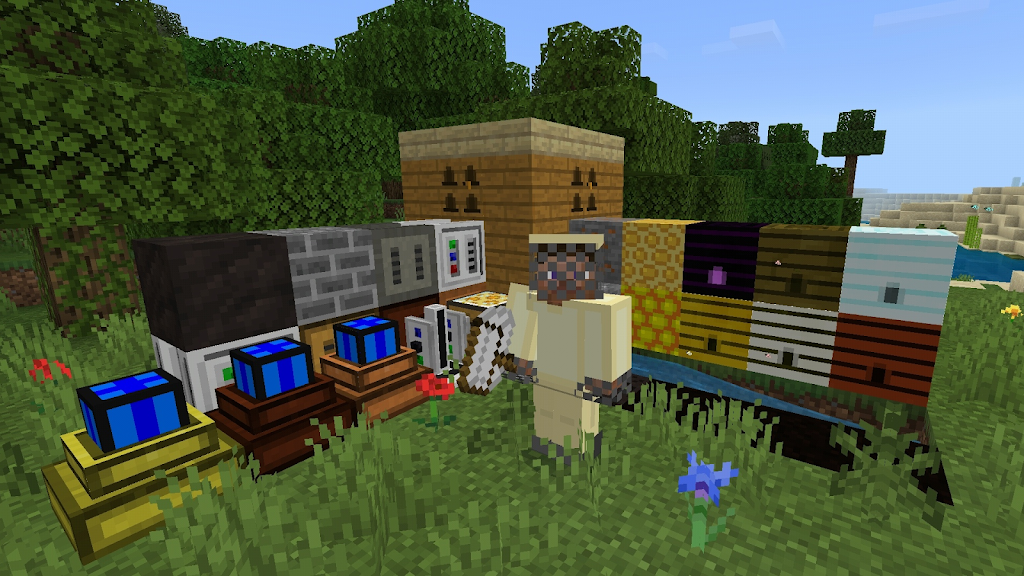
The platform does not enforce a single visual theme; instead it supports a wide range of art and UI styles supplied by mod creators. Modders can introduce custom textures, block models and full-screen interfaces that change presentation while preserving performance. User experience priorities include quick profile switching, clear separation of mod content, and in-app toggles to enable or disable subsystems. The result is a mod-driven visual and interaction variety where players can tailor aesthetics and interface complexity to their device capabilities and personal preference.
Horizon Modding Kernel focuses on delivering smooth performance and a stable environment for creators and players, with runtime safeguards and memory-management options to reduce slowdowns on constrained devices. The app is designed for offline use: mod packs and worlds are stored locally and run without a network connection, so players can play and test content on the go. Be aware that occasional random crashes have been reported in some complex setups; recommended best practices include keeping backups of worlds, testing mods one at a time when troubleshooting, and disabling experimental modules when stability is required.
The platform provides tools for creators to define custom UIs, register items and machines, and manage recipe logic, though official documentation is currently limited in some areas. Community guides and example packs help bridge gaps, and the mod architecture is intended to be approachable for experienced modders while remaining usable for newcomers who prefer to apply pre-built packs. Accessibility considerations include configurable control sizes and input sensitivity where mods opt into the provided UI system, and the separate profile system makes it easy to create streamlined setups for players who need simpler interfaces.
Replay value comes from the modular nature of packs, the potential to combine systems in novel ways, and custom challenge setups defined by creators. New biomes and dimensions can alter exploration rhythm and hazard density, while machines and automation create multi-stage goals that reward planning and experimentation. Players who enjoy iterative design can build sandbox-style playthroughs for testing, or install curated packs that raise challenge through resource scarcity, tougher environmental conditions, or more complex crafting webs.
Before installing Horizon Modding Kernel, back up important saves and review device storage and permissions. Installation typically involves placing mod packs in designated directories and selecting active profiles from the in-app manager; keeping worlds in separate folders avoids conflicts and makes rollbacks simpler. The app aims to be compatible with a wide range of Android devices, but results vary with device hardware and the complexity of installed mods. If you encounter instability, try disabling third-party or experimental packs and consult community resources for troubleshooting steps.
File size: 31.00 M Latest Version: 1.1-release
Requirements: Android Language: English
Votes: 423 Package ID: com.zheka.horizon
Developer: Zheka Smirnov

Best Guides Games to Play on Android
Conquer games faster and unlock their full potential with our comprehensive guides and walkthroughs. Created by expert gamers, they contain tips, strategies and secrets for mastering both new releases and all-time classics across platforms. Packed with detailed maps, collectible locations, boss tactics, hidden areas and more, you'll have everything needed to finish games 100%.






LIVE A HERO
Retro Hero Mr Kim
Empire of Passion
Arcane Quest Legends
Magic Snap: Momotaro
AllStar Manga Heroes
Lunescape
ONE PIECE Thousand Storm JP
Tap Titans 2