Scan to Download
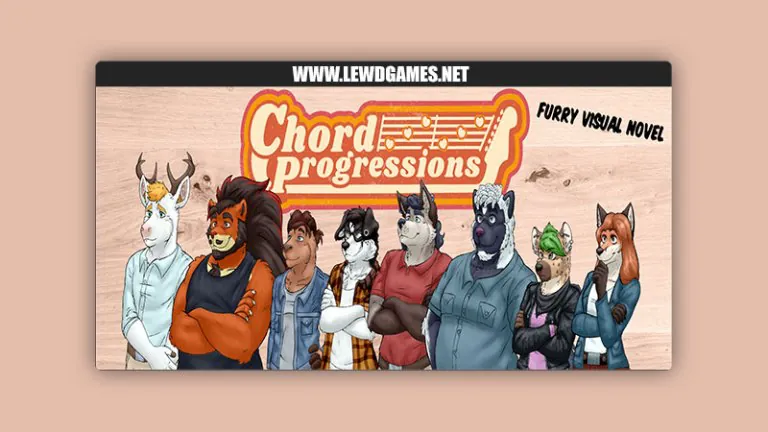
Chord Progressions is a practical mobile tool for musicians that helps create, organize and audition harmonic sequences quickly. It lets users experiment with chord movement, hear immediate playback, and export progressions for songwriting or study. The interface balances simplicity with depth for productive music-making sessions.
Chord Progressions provides a compact set of tools designed to accelerate composition and arrangement. The app includes a comprehensive chord library, scale-aware suggestions, and real-time audio rendering. Users can choose between piano, guitar, and synth voices, toggle inversions, and audition voicings with a single tap. A built-in metronome and tempo controls make it easy to hear how progressions sit in time.
The app models harmonic motion using common-practice concepts and modern flexibility. Progressions are built on a timeline where each measure can hold one or more chords. Chord names, extensions, and alterations are editable, and automatic roman numeral annotations help you track function across key changes. Chord Progressions also supports modal interchange and diatonic substitution suggestions to spark new ideas.
Editing is fast: drag-and-drop to reorder chords, tap to change quality or inversion, and pinch to stretch or compress time values. A step-based editor is available for precise rhythm placement while a free-form view lets you sketch ideas quickly. Undo/redo is unlimited within a session, and each change is reflected immediately in audio playback so you can iterate without breaking creative flow.
Sound customization in Chord Progressions is designed for both sketching and performance-ready exports. Choose from a variety of instrument patches, alter the voicing density, and enable humanization to avoid mechanical repetition. The app offers swing settings, accent patterns, and low-latency synthesis for responsive touch playback. For advanced users there are options to set MIDI channel routing and velocity curves.
Export choices are focused on practical use: render audio stems, export MIDI files, or save chord charts as PDFs. MIDI exports preserve timing and voicing so you can continue production in a DAW or notation app. Sharing is integrated with Android’s standard intents, allowing quick transfers to cloud storage, email, or nearby devices. File import supports common chord chart formats to bring older ideas into the app.
Chord Progressions is optimized for modern Android hardware with attention to low-latency audio and efficient memory usage. Background playback and multitasking are supported so the app can run alongside a DAW or recording tool. The app adapts to a range of screen sizes and works well on phones and tablets; settings allow you to prioritize CPU or battery life when needed.
Open a new project, tap the timeline to add a chord, and audition it with the play button. Use the suggestion tool to generate alternative chords and drag favorites into a palette for reuse. When you’re ready, export as MIDI or audio for polishing in other apps. The onboarding tips guide you through core controls during your first uses.
Experiment with inversions and voicing density to transform a basic progression without changing its function. Use the transpose feature to test different keys quickly, and save chord sets as presets to assemble song sections faster. Regularly export MIDI drafts to track your progress outside the app.
Chord Progressions is a focused composition companion that streamlines turning harmonic ideas into usable material. With intuitive editing, flexible export options, and a responsive sound engine, it fits into songwriting, practice, and production workflows on Android devices.
File size: 511.53 M Latest Version: 0.3.4
Requirements: Android Language: English
Votes: 454 Package ID: chord.progressions
Developer: Chord Progressions




Top Free Board Games for Android
Gather around for game night anytime, anywhere with our new mobile board game. Play digital versions of classics like chess, checkers, backgammon and more against friends or AI opponents. With smooth online multiplayer, you can challenge players worldwide or create private games. Customizable boards, pieces, and house rules allow you to tailor the experience. Compete in daily tournaments or just play for fun.





LIVE A HERO
Retro Hero Mr Kim
Empire of Passion
Arcane Quest Legends
Magic Snap: Momotaro
AllStar Manga Heroes
Lunescape
ONE PIECE Thousand Storm JP
Tap Titans 2