Scan to Download
CubeX - Solver, Timer, 3D Cube CubeX - Solver, Timer, 3D Cube CubeX - Solver, Timer, 3D Cube combines a compact solver, precision timer and interactive 3D viewer to help speedcubers improve solve times and analyze algorithms.
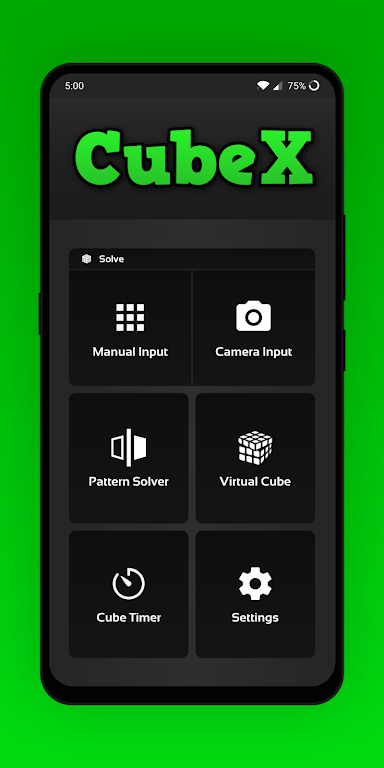
CubeX is an all-in-one practice and analysis tool that puts timing, solving and visualization into a single, lightweight app. Whether you are learning basic algorithms or refining advanced fingertricks, this app provides clear step-by-step solutions, accurate timing measurements and a manipulable 3D model so every move can be examined from any angle. The interface is designed for quick access to essential functions while keeping advanced options available for detailed study.
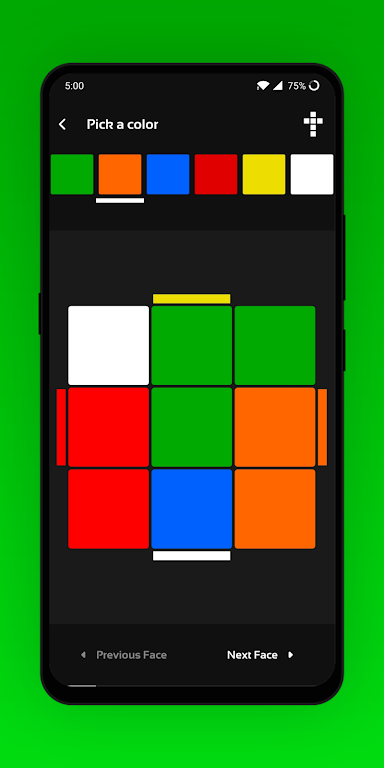
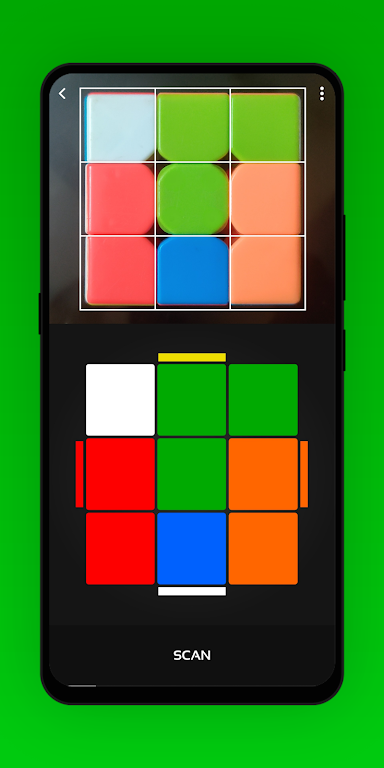
The solver accepts multiple input methods: build the current state via a graphical face editor, enter standard notation, or reconstruct the position by rotating the virtual cube. Once the state is entered, CubeX calculates an efficient move sequence and shows move counts, estimated difficulty and an animated playback. The high-precision timer records with millisecond accuracy, supports inspection periods and stores each session with timestamps, scramble data and optional notes so you can review context alongside raw times.
Controls are gesture-driven and optimized for touch: swipe to rotate the 3D cube, pinch to zoom and tap individual stickers to edit colors. The timer responds to tap controls as well as external input such as Bluetooth buttons for hands-free operation. Animations can be slowed, paused, or stepped through one move at a time to match the user’s learning pace. Clear on-screen notation accompanies every animation so visual learners and notation-savvy users can follow along equally well.
Practice is organized around flexible modes rather than rigid levels. Use single-solve timing for benchmarking, repeat a scramble for focused algorithm drilling, or enter a sequence of challenges for progressive difficulty. Personal targets and goal-setting tools let you create streaks, attempt best-of-N runs and track whether you meet inspection or average time objectives. Over time the app’s history and trend graphs reveal improvements and plateaus so you can tailor practice sessions accordingly.
CubeX offers a range of visual and timing customizations. Change sticker colors to match your physical cube or select color-blind palettes for better contrast. Choose between light and dark UI themes, adjust animation speed, and set timing behaviour such as inspection countdowns or automatic logging. Notation settings allow you to toggle between common notation styles and alter solver depth to favor fewer moves or faster computation depending on practice goals.
Beyond timing and solving, CubeX is built for study. Save preferred algorithms into a personal library with tags and descriptions, compile study lists for recurring cases, and isolate substeps to focus on troublesome patterns. Replay value comes from curated drills and the ability to replay any recorded solve with full step-by-step animation, allowing repeated review until an algorithm is internalized or a fingertrick becomes second nature.
Session analytics include best and worst times, rolling averages, solve distributions and trend lines that show progress over days and weeks. Filters let you view results by scramble type, date range or practice mode. Exportable session logs make it simple to back up your data or perform deeper analysis with external tools if you prefer spreadsheets or specialized training software.
Designed to run smoothly on a wide range of Android devices, CubeX uses efficient 3D rendering so animations remain fluid even on mid-range hardware. The solver balances speed and move optimality to provide rapid results without excessive battery drain. Accessibility features include adjustable UI scaling, high-contrast and color-blind palettes, and large controls for users who prefer simplified interactions. The app functions fully offline, so you can practice anywhere without an internet connection.
Begin by inputting your cube state or generating a scramble, then run the solver to see a recommended sequence. Use the timer to record runs, save interesting positions to your study list, and consult analytics to plan your next practice session. Regular use will reveal which algorithms need work, which practice modes yield the most improvement, and how small changes in technique affect your averages.
CubeX is suited to hobbyists, competitive speedcubers and coaches who want a compact, offline-capable tool for practice and analysis. It consolidates core workflows—solving, timing and studying—into a single app that emphasizes clarity and control without sacrificing depth, making it a useful companion for daily training and long-term improvement.
File size: 16.87 M Latest Version: 3.2.1.4
Requirements: Android Language: English
Votes: 209 Package ID: diozz.cubex
Developer: Divins Mathew

Best Action Necessary Games for Android
Experience nonstop thrills with our newest edge-of-your-seat action game! With console-quality graphics and intuitive touchscreen controls, you'll be drawn into high-octane combat and stunt-driven gameplay. Choose from an arsenal of upgradable weapons and vehicles to blaze through enemy bases, post-apocalyptic cities, and more. Physics-based action packed with explosions and destructible environments make every level more intense than the last.






LIVE A HERO
Retro Hero Mr Kim
Empire of Passion
Arcane Quest Legends
Magic Snap: Momotaro
AllStar Manga Heroes
Lunescape
ONE PIECE Thousand Storm JP
Tap Titans 2