Scan to Download
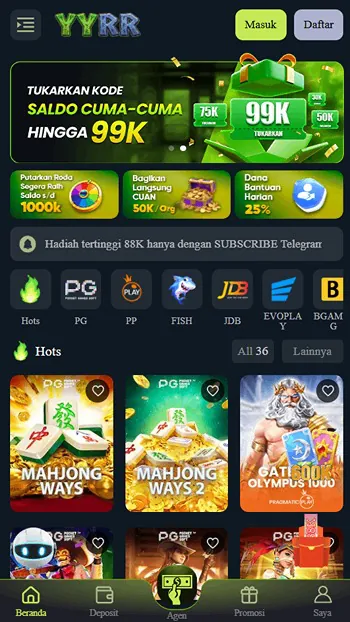
YYRR is a lightweight productivity app designed to streamline daily workflows and centralize essential tools. It consolidates notes, quick actions, and customizable widgets into a single, responsive interface, helping users organize tasks, access utilities rapidly, and reduce friction across routines on Android devices.
YYRR combines several practical modules into one app so you can handle common tasks without switching between programs. The app includes a fast note-taking system, an action launcher for frequently used functions, a customizable widget gallery, and simple automation triggers. Each part is focused on speed and clarity to keep overhead minimal.
Key capabilities that set YYRR apart emphasize flexibility and speed. The simple, modular design allows features to be enabled or disabled according to your needs, creating a tailored experience with minimal clutter.
The interface in YYRR follows a minimal principle: large touch targets, clear typography, and a neutral color palette. Navigation is based around a central dashboard that surfaces recent items and suggested actions. Users can rearrange panels, pin favorite tools, and reduce visual noise through an adaptive compact mode.
Customization is a strong suit in YYRR. Widgets can be resized and recolored, action sequences can be chained together, and note templates can be predefined for recurring content. This flexibility lets the app adapt to developers, students, or professionals who require fast access to recurring workflows.
YYRR supports several everyday scenarios. Fast note capture is useful during meetings or on commutes. The action launcher speeds up access to contacts and frequently used apps. Automation triggers help with routines such as switching phone to silent at night or starting navigation when you leave work. Combining features is especially helpful for users who prefer a low-friction phone experience.
Performance considerations were prioritized to keep YYRR responsive on a wide range of devices. Memory usage is conservative, and background processes are limited to scheduled tasks unless explicit permissions are granted. The app supports current Android versions and adapts interface elements to both phones and tablets. Offline functionality is available for core features so you can rely on the app without a network connection.
YYRR offers straightforward privacy options. Local data can be locked behind a PIN or biometric authentication, and cloud synchronization is opt-in with encryption during transit. Permissions are requested based on features you enable, and the app provides clear descriptions so you can make informed choices about access to contacts, location, or storage.
On first launch, YYRR walks you through a simple setup to choose which modules to enable. Spend a few minutes creating a note template and mapping a couple of actions to see immediate benefits. Widgets can be added to the home screen with a long press, and automation rules are editable at any time from the dashboard.
To get the most from YYRR, start small: enable one automation rule and one widget, then expand as you grow comfortable. Use tags in notes for quick filtering, and group related actions into folders inside the launcher. Regularly purge outdated items to keep search results relevant and maintain snappy performance.
YYRR provides a compact, efficient workspace on Android that focuses on making daily digital tasks simpler. Whether you need to capture ideas, run quick actions, or automate repetitive steps, the app is designed to reduce complexity and speed up routine work without overwhelming the device or the user.
File size: 115.00 M Latest Version: 10.4
Requirements: Android Language: English
Votes: 492 Package ID: com.game.yyrr

Top Free Board Games for Android
Gather around for game night anytime, anywhere with our new mobile board game. Play digital versions of classics like chess, checkers, backgammon and more against friends or AI opponents. With smooth online multiplayer, you can challenge players worldwide or create private games. Customizable boards, pieces, and house rules allow you to tailor the experience. Compete in daily tournaments or just play for fun.






LIVE A HERO
Retro Hero Mr Kim
Empire of Passion
Arcane Quest Legends
Magic Snap: Momotaro
AllStar Manga Heroes
Lunescape
ONE PIECE Thousand Storm JP
Tap Titans 2