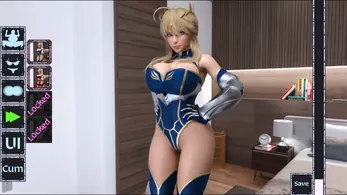
Customize waifu is a mobile design studio that lets you build and personalize anime-style characters with a layered editor, wardrobe system, and expression controls. It provides intuitive tools for pose, color palettes, and accessory placement so creators can produce unique avatars for social profiles or character concepts.
Customize waifu brings a broad set of creative tools to your Android device. The app combines a modular character engine with ready-made assets and fine-grain controls so you can compose looks quickly or dive deep into detailed adjustments. Asset packs include hairstyles, clothing, facial features, props, and themed backgrounds to suit a variety of styles.
The interface balances simplicity and power. Panels for layers, color pickers, and transform handles are arranged for touch interactions, while quick-access menus speed up common tasks. A preview canvas updates in real time as you tweak elements, and an undo history helps you experiment without worrying about mistakes. Frequent actions are reachable with gestures, reducing menu hunting during complex edits.
Core tools emphasize flexibility. You can adjust body proportions, swap facial parts, mix clothing items, and apply pattern or material shaders. Expression controls let you change eye shape, mouth position, and eyebrow tilt to convey mood. Clothing layers follow a logical stacking order so accessories and outerwear render correctly. Color controls include global palettes and per-part sliders for hue, saturation, and brightness.
Customize waifu is optimized to run smoothly across a range of Android hardware. Simple scenes render quickly on low-end devices while more complex compositions take advantage of multi-core processors and GPU acceleration where available. Memory usage is managed through on-demand asset loading, and an in-app settings panel allows you to reduce texture quality or disable animations to conserve battery life.
Creators use Customize waifu for profile avatars, character design drafts, social media artwork, and visual storytelling. A typical workflow might start with selecting a base body and pose, then layering clothing and accessories, adjusting facial expressions, and finally setting a background and export resolution. The app supports iterative design: save intermediate states, branch variations, and return to earlier versions when a new idea needs testing.
Sharing tools integrate with common social and messaging platforms so you can post finished avatars directly or share project files with collaborators. Local and cloud storage options keep your asset library synced across devices. For power users, the app supports importing custom elements and community asset packs, enabling a broader range of aesthetics and themes.
Getting started with Customize waifu is straightforward: choose a template or start from a blank canvas, explore the asset browser, and experiment with layers and colors. Built-in tutorials walk you through key features, and tooltips explain each control. If you prefer guided creation, themed presets quickly produce polished results that you can refine further.
For creators seeking a portable character design tool, Customize waifu offers an approachable yet capable environment. Its combination of asset variety, responsive controls, and export flexibility makes it a practical choice for hobbyists, content creators, and designers who want to prototype characters without switching to desktop software.
File size: 88.43 M Latest Version: 1.0
Requirements: Android Language: English
Votes: 495 Package ID: com.turbomilfs.customizewaifu
Developer: turbomilfs

Best Action Necessary Games for Android
Experience nonstop thrills with our newest edge-of-your-seat action game! With console-quality graphics and intuitive touchscreen controls, you'll be drawn into high-octane combat and stunt-driven gameplay. Choose from an arsenal of upgradable weapons and vehicles to blaze through enemy bases, post-apocalyptic cities, and more. Physics-based action packed with explosions and destructible environments make every level more intense than the last.



LIVE A HERO
Retro Hero Mr Kim
Empire of Passion
Arcane Quest Legends
Magic Snap: Momotaro
AllStar Manga Heroes
Lunescape
ONE PIECE Thousand Storm JP
Tap Titans 2