Scan to Download
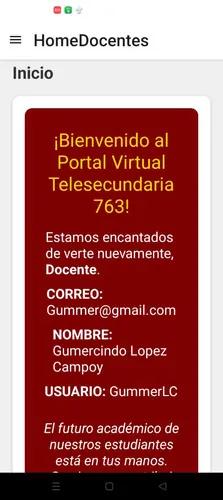
Telesecundaria_763 is an educational Android application designed to support secondary-level teachers and students with organized lesson delivery, offline access to curriculum materials, and simple classroom management tools. It streamlines remote and in-person instruction while keeping resources easily searchable and adaptable for varied learning environments.
Telesecundaria_763 brings a compact suite of tools for lesson planning, resource distribution, and student tracking. The app focuses on usability: teachers can quickly build modules, attach multimedia assets, and schedule activities. Students benefit from clear navigation and the option to access content even without continuous internet connectivity.
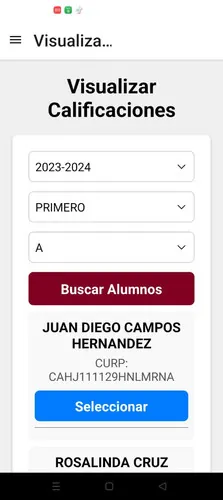
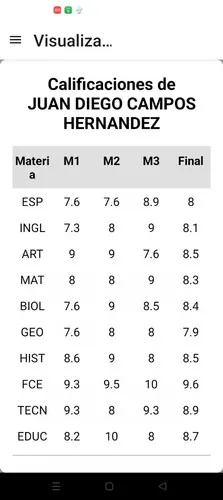
Teachers start by creating classes and assigning students to groups. After building a lesson or selecting one from the library, educators can schedule delivery dates and attach formative checks. Students view assigned modules on their device, complete activities, and submit responses. Telesecundaria_763 compiles basic analytics so teachers can review engagement trends and adjust pacing.
The interface emphasizes clarity: large buttons, consistent icons, and a neutral color palette reduce visual clutter. Pages load swiftly on most mid-range devices thanks to optimized caching. When using offline mode, the app compresses assets to minimize storage impact while preserving quality for images and video snippets.
Adaptability is central to Telesecundaria_763. Educators can tailor lesson sequences to local curricula, set regional language labels, and customize assessment difficulty. The app supports modular content, letting teachers mix lecture notes with interactive elements like multiple-choice quizzes and short-answer prompts.
Getting started with Telesecundaria_763 is straightforward. Install from the app source, allow basic permissions for storage and notifications, and create a teacher account. Begin by importing or creating a lesson and inviting your first class. For faster rollout, preload materials on a device to test offline behavior before distributing to students.
Telesecundaria_763 limits data collection to essentials: user names, class rosters, and activity logs. Offline content stays on the device until the user or teacher clears it. Administrators should pair the app with local privacy policies and restrict account access appropriately to protect student information.
Schools choose Telesecundaria_763 for its balance of functionality and simplicity. It fits constrained budgets by enabling offline lessons and minimizing data usage. The modular design allows quick adaptation to different syllabi, while basic analytics provide practical feedback without requiring dedicated IT staff.
Whether you are introducing blended learning or consolidating classroom materials, Telesecundaria_763 offers a measured, teacher-focused toolkit. Allocate time for teachers to familiarize themselves with templates and offline workflows, and collaborate with peers to build a shared resource bank that grows in value with each semester.
File size: 85.00 M Latest Version: 1.0.0
Requirements: Android Language: English
Votes: 476 Package ID: com.telesecundaria763.uthh
Developer: the-lalo22

Top Educational Free Games for Android
Make learning fun with our new educational game, perfect for kids of all ages! With engaging activities across subjects like math, reading, science and more, children will build knowledge while having a blast. The reward-based system and vibrant graphics keep them motivated to progress through levels. Customizable avatars and whimsical worlds let their creativity shine. Parents can feel at ease knowing their kids are learning, not just playing.






LIVE A HERO
Retro Hero Mr Kim
Empire of Passion
Arcane Quest Legends
Magic Snap: Momotaro
AllStar Manga Heroes
Lunescape
ONE PIECE Thousand Storm JP
Tap Titans 2