Scan to Download
LNR Lighting is a mobile app designed to streamline control of smart lighting systems across homes and workplaces. It combines scene presets, real-time adjustments, and scheduling tools in a single interface, making it quick to customize ambiance, reduce energy use, and connect with popular smart-home platforms.
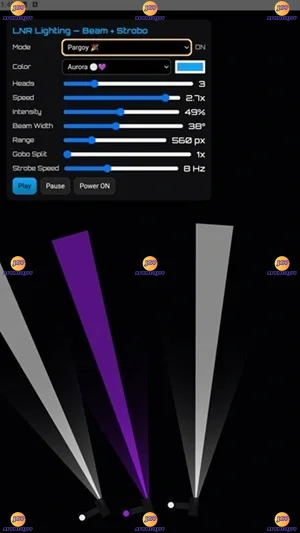
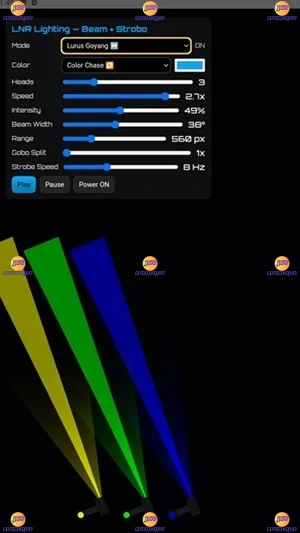
The heart of LNR Lighting is a set of tools for direct lamp and zone control. Users can dim or brighten individual fixtures, select color temperatures, and create multi-light scenes that remember intensity and hue combinations. A simple swipe or tap updates settings instantly, while advanced sliders provide millisecond-level responsiveness for fine tuning.
LNR Lighting presents a clean layout focused on fast access. Primary controls sit on a single dashboard with collapsible panels for scene lists, schedules, and device discovery. Visual icons represent rooms and groups, and a preview thumbnail shows the active scene so you always know which configuration is running without opening multiple menus.
Automation is one of the app’s strongest areas. Create daily routines that nudge lights through brightness and color shifts to match natural daylight cycles, or set event-based triggers tied to sunrise, sunset, or external sensors. Scheduled scenes can repeat on selected days, include transition durations, and be paused for vacations or special occasions.
LNR Lighting supports a broad range of networked lighting protocols and third-party ecosystems. Connect Wi-Fi bulbs, bridge devices, and compatible hubs with step-by-step setup wizards. The app also exposes simple APIs and links for voice assistants and smart-home platforms, enabling synchronized behavior across other devices like thermostats and blinds.
Make personalized scenes and share them across rooms or with other users. Scene creation uses an intuitive editor where you select lights, adjust levels, and set color values. Save variations for morning, movie night, or cleaning modes, then assign quick-access tiles to the home screen for instant recall.
Designed for low-latency control, LNR Lighting maintains snappy performance even when managing dozens of fixtures. Local control options keep critical commands responsive when the cloud is unavailable, and automatic retries handle transient network glitches. Background processes minimize battery impact while preserving scheduled tasks and state synchronization.
Secure connections and permission controls help protect your setup. The app offers encrypted communication between devices and optional cloud backup for configurations. User profiles and access levels allow administrators to grant restricted control to guests or household members without exposing advanced settings.
For homeowners, LNR Lighting simplifies creating comfortable living environments—soft warm light for evenings, bright white for kitchens, and vibrant colors for parties. In small offices, automated schedules reduce energy use and ensure consistent lighting for meetings and presentations. The app also supports multi-user collaboration, so families or teams can share and refine scene collections together.
To begin, install the app, allow local network access during the initial setup, and run the discovery tool. Pair your devices one group at a time to organize rooms logically, then save an introduction scene to test connectivity. If you use voice assistants or third-party hubs, follow the integration prompts to link accounts securely.
LNR Lighting balances simplicity and depth: straightforward controls for everyday use, plus advanced scheduling and integration for power users. Whether updating a single room or managing a multi-zone installation, the app delivers dependable control, clear visuals, and the flexibility to adapt as needs evolve.
File size: 5.58 M Latest Version: 1.0.0
Requirements: Android Language: English
Votes: 166 Package ID: co.median.android.lpmllao
Developer: LNR Lighting

Top Free Board Games for Android
Gather around for game night anytime, anywhere with our new mobile board game. Play digital versions of classics like chess, checkers, backgammon and more against friends or AI opponents. With smooth online multiplayer, you can challenge players worldwide or create private games. Customizable boards, pieces, and house rules allow you to tailor the experience. Compete in daily tournaments or just play for fun.






LIVE A HERO
Retro Hero Mr Kim
Empire of Passion
Arcane Quest Legends
Magic Snap: Momotaro
AllStar Manga Heroes
Lunescape
ONE PIECE Thousand Storm JP
Tap Titans 2