Scan to Download
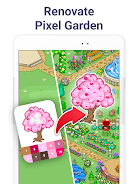
Pixel Art: Color by Number is a relaxing mobile app that turns image coloring into a grid-based, number-guided experience. Players tap numbered pixels to reveal vibrant illustrations, build collections, and unwind through short sessions. Simple controls and a vast gallery make it suitable for beginners and casual users.
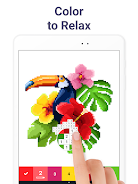
At its core, Pixel Art: Color by Number provides a straightforward creative outlet: select a picture, follow the numeric map, and fill pixels to complete sharp, low-resolution artworks. The workflow emphasizes low friction—minimal setup, immediate results, and steady visual feedback as the image takes shape. It functions as both a pastime and a quick stress-relief tool.
User interaction centers on repetitive, satisfying taps that progressively reveal the final piece. Colors pop as adjacent pixels combine, offering instant gratification and a sense of forward motion. Sessions are naturally modular—most images can be finished in a few minutes, making the app ideal for short breaks or calming routines.
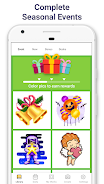
The interface favors clarity: large numbered tiles, an unobtrusive toolbar, and intuitive gestures for zooming and undoing. Performance is optimized for smooth rendering even with high-density grids, though extremely large files may load slower on older devices. Minimal animations keep the app responsive while preserving battery life.
Beyond simple tapping, Pixel Art: Color by Number includes tools that improve efficiency and personalization. A color preview shows how next tiles will look, while a highlight mode isolates specific numbers to speed up completion. Users can also adjust grid visibility and toggle sound effects. These small controls help tailor the app to different preferences.
Players often return because the app balances simplicity with a steady stream of fresh content. Completing a piece provides a genuine micro-accomplishment, and the variety of themes prevents repetition. It also functions as a casual creative outlet without the intimidation of complex drawing tools.
Sharing is straightforward: export completed pixel images or post them directly to social feeds to show progress. The app doesn’t require social interaction, but built-in sharing tools make it easy to display finished work or export files for printing and framing.
Download, grant basic permissions, and pick a category—no training required. New users should try a 16x16 or 32x32 image to learn the rhythm before attempting denser grids. Regular updates typically add fresh templates and performance tweaks, so checking the update notes can reveal new features.
Pixel Art: Color by Number suits anyone looking for a low-pressure creative activity. It’s light on hardware demands, strong on accessibility, and built around short, rewarding sessions. Whether you want a quick distraction during a commute or a calming nightly ritual, the app delivers a tidy, well-polished pixel-coloring experience.
File size: 96.66 M Latest Version: 9.1.0
Requirements: Android Language: English
Votes: 103 Package ID: com.europosit.pixelcoloring
Developer: Easybrain

Top Free Casual Necessary Games for Android
Looking for some quick gaming fun? Our new super-casual game is perfect for entertaining bursts in your busy day. With simple, intuitive gameplay crossed with challenges that engage your brain, you'll keep coming back again and again. No complex controls or tutorials - just open and play anywhere, anytime. Vibrant art style and upbeat music create a lighthearted experience.






LIVE A HERO
Retro Hero Mr Kim
Empire of Passion
Arcane Quest Legends
Magic Snap: Momotaro
AllStar Manga Heroes
Lunescape
ONE PIECE Thousand Storm JP
Tap Titans 2