
Scan to Download
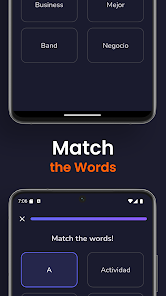
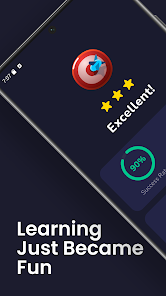
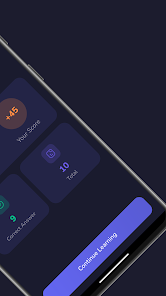
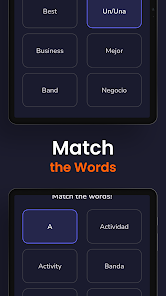
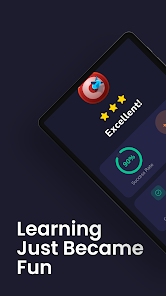
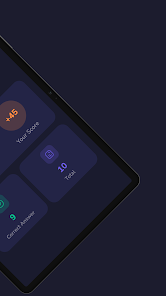
Vocedia - Vocabulary Builder combines adaptive flashcards, contextual examples, and spaced repetition to help learners expand word knowledge efficiently. The app offers personalized study plans, quick review sessions, and detailed performance analytics so users can track progress and retain new vocabulary across daily practice sessions tailored to individual goals.
Designed for learners who want measurable improvement, Vocedia - Vocabulary Builder focuses on retention through repetition and real-world usage. It supports beginner to advanced levels, letting you import word lists or choose curated sets. The platform emphasizes short, focused study bursts rather than long, inefficient review sessions.
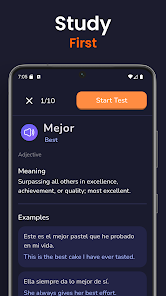
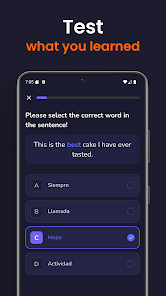
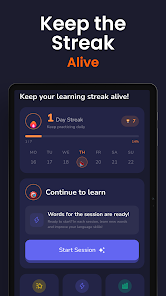
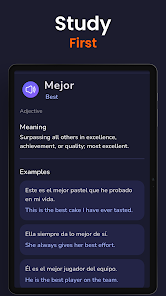
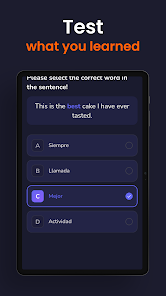
Vocedia - Vocabulary Builder uses a simple study loop: learn new words, review with quizzes, and revisit items according to spaced repetition intervals. Sessions are intentionally brief—five to fifteen minutes—making it easy to fit practice into daily routines. Immediate feedback and contextual hints reduce guesswork and speed up retention.
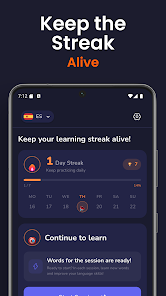
The interface is clean and distraction-free, focusing attention on the words and examples. Navigation is straightforward: a home dashboard summarizes today’s tasks, progress graphs, and recent activity. Performance is smooth on mid-range devices; animations are minimal and load times are short, creating a responsive study flow.
Customization options let learners adjust question types, review frequency, and notification schedules. Font sizes, high-contrast themes, and audio playback choices improve accessibility for diverse users. Export and backup functions protect custom lists and ensure study data is portable between devices.
Consistent short sessions with Vocedia - Vocabulary Builder build cumulative knowledge faster than occasional long study marathons. The spaced repetition approach targets items that need reinforcement instead of wasting time on already-mastered words. Gamified elements—streaks and badges—add gentle motivation without turning study into a distraction.
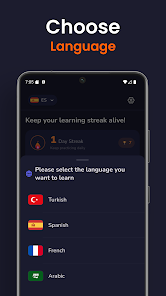
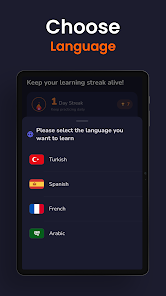
Install the app, set your daily target, and choose a starter word pack. Import existing lists if you have them, or pick from themed sets to match exams, professional vocabulary, or travel needs. Regular short reviews and the app’s analytics will show measurable gains within weeks.
For learners who value measurable progress, Vocedia - Vocabulary Builder provides a practical, well-measured approach to vocabulary expansion. Its combination of adaptive practice, contextual learning, and clear metrics helps turn new words into reliable long-term knowledge without overwhelming the user.
File size: 37.00 M Latest Version: 1.0.3
Requirements: Android Language: English
Votes: 438 Package ID: com.trueCraftStudio.vocedia
Developer: TrueCraft Studio


Gather your friends and get ready for endless hours of card-playing fun with our new multiplayer card game! With a wide variety of game modes, you can play classics like poker, blackjack, gin rummy and more. Test your skills in tournament mode or just casually play while chatting. Customize avatars, unlock new decks and track stats and leaderboards. Smooth online multiplayer lets you challenge players worldwide or create private games with friends.






LIVE A HERO
Retro Hero Mr Kim
Empire of Passion
Arcane Quest Legends
Magic Snap: Momotaro
AllStar Manga Heroes
Lunescape
ONE PIECE Thousand Storm JP
Tap Titans 2