Scan to Download
L3B is a streamlined productivity app that centralizes task management, quick note capture, and cross-device syncing into a single, lightweight package. It blends intuitive gestures with robust organization tools to help users track priorities, collaborate when needed, and reduce friction across daily workflows.
L3B focuses on making everyday planning fast and reliable. The core of the app is a unified workspace where tasks, short notes, and reminders live together. You can create items in seconds, tag them for context, and move them between lists without switching screens. This reduces the cognitive load of juggling separate to-do apps, notes, and calendars.
The interface is clean and modular: a left panel for navigation, a central feed for items, and a compact details view that slides up when you tap a task. Animations are subtle and purposeful, helping users understand transitions rather than distracting them. L3B is optimized to run smoothly on mid-range devices, with a focus on battery efficiency and minimal background CPU usage.
Visual customization in L3B helps users make the workspace their own. Themes include light, dark, and high-contrast options. You can rearrange sections, collapse panels, and create templates for recurring workflows like weekly planning, bug triage, or shopping lists. Templates save time and enforce consistent structure for teams or personal routines.
Workflows in L3B are built around flexible cards that support checklists, attachments, comments, and sub-tasks. Drag-and-drop reordering and multi-select actions let you batch-edit or reschedule items quickly. For team use, permissions and shared lists allow controlled collaboration without exposing everything to every contributor.
Data protection is treated seriously: encrypted backups, optional passcode or biometric lock, and configurable auto-lock intervals are available. Offline mode ensures you can create and modify items without connectivity, and changes sync automatically when you reconnect. The app also keeps a revision history so you can revert accidental edits.
Beginners often find that switching from multiple specialized apps to L3B takes a short adjustment period but quickly yields cleaner routines. The app’s onboarding provides guided tours for discovery, and inline tips help reinforce best practices without interrupting work.
People choose L3B for its combination of speed and structure. It doesn’t try to be everything at once; instead, it focuses on the task-note-reminder triad and does those well. That focus makes it a reliable choice for students, freelancers, and small teams that need clear, low-overhead organization.
Installing L3B is straightforward: download, sign in or create a local account, and import data from other common productivity apps if you want. Spend a few minutes setting up your first template and linking a calendar to see the immediate benefits. For teams, invite members to a shared list and define simple roles to keep contributions orderly.
Overall, L3B balances functional depth with a gentle learning curve. It provides practical tools for everyday management while remaining fast, secure, and flexible enough to adapt as your needs change.
File size: 46.56 M Latest Version: 1.0.102
Requirements: Android Language: English
Votes: 458 Package ID: com.l3bteam.l3bapp
Developer: L3B


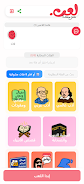


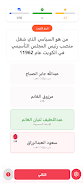
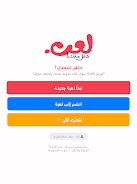
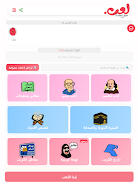
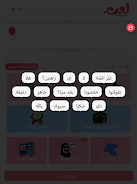
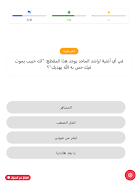

Gather your friends and get ready for endless hours of card-playing fun with our new multiplayer card game! With a wide variety of game modes, you can play classics like poker, blackjack, gin rummy and more. Test your skills in tournament mode or just casually play while chatting. Customize avatars, unlock new decks and track stats and leaderboards. Smooth online multiplayer lets you challenge players worldwide or create private games with friends.






LIVE A HERO
Retro Hero Mr Kim
Empire of Passion
Arcane Quest Legends
Magic Snap: Momotaro
AllStar Manga Heroes
Lunescape
ONE PIECE Thousand Storm JP
Tap Titans 2