
Scan to Download
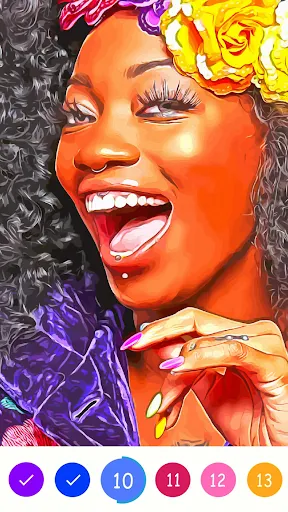
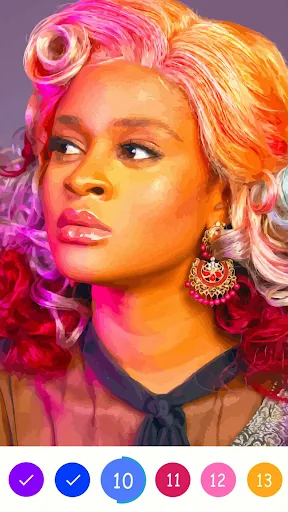
Paint Color is a streamlined Android app for selecting, mixing and applying color palettes across design projects and home improvements. It combines an intuitive color picker with helpful tools for matching shades, saving palettes, and visualizing results. The app is aimed at designers, homeowners and hobbyists seeking accurate color management.
At its core, Paint Color provides a set of practical utilities designed to simplify color decisions. Users can pick colors from images, generate complementary palettes, and convert between color models (HEX, RGB, HSL). A palette library stores combinations and lets you tag or annotate entries so palettes are easy to find later.
Essential tools include a precision color picker with zoom, an eyedropper that samples tones from photos, and a real-time preview that applies chosen hues to sample layouts. The app also includes a palette generator that suggests harmonious colors based on classic color theory, plus manual sliders for fine adjustments of hue, saturation and brightness.
The interface emphasizes clarity: a clean main workspace places the color wheel and selected swatches front and center, while secondary tools are accessible through contextual menus. Typical workflow moves from sampling to editing to saving. Users start by importing a photo or using the camera, pick a base color with the eyedropper, adjust values, and then save the palette with notes or tags for future reference.
Paint Color supports a range of practical scenarios. Home renovators can sample wall paint from inspiration images and generate a set of matching trim and accent colors. Graphic designers can export palettes to other tools for branding work. Craftspeople and DIYers benefit from the app’s ability to record and label color mixes for repeatable results.
Designed for Android devices of varying capabilities, the app optimizes performance by limiting background processes and using efficient image sampling. It runs smoothly on mid-range phones and tablets, though extremely large image files will take longer to process. Compatibility extends across recent Android versions, and storage options allow backing up palettes to local storage or cloud services.
Customization features let users tailor the app to their workflow. Color grids can be rearranged, naming conventions adjusted, and default export formats selected. Export options include saving palettes as images, copying HEX or RGB codes to the clipboard, and sharing palette files with collaborators or other design apps.
To get the most accurate readings, use photos taken in neutral lighting and calibrate your screen brightness. When sampling from textures or patterned surfaces, tap multiple points and use the average color function to avoid misleading highlights or shadows. Save multiple related palettes to track variations and keep notes about source materials or paint brands.
Begin by granting camera and storage permissions so the app can access images and save files. Use the sample gallery to explore built-in palette templates, then import a personal photo to try the eyedropper tool. Create and name your first palette, then experiment with the preview mode to see how different combinations look in mock environments.
With a balance of precision and simplicity, Paint Color makes color selection and organization approachable without sacrificing control. The app’s thoughtful set of tools supports small projects and professional tasks alike, helping users lock in the right shades and keep their color assets organized and accessible.
File size: 46.20 M Latest Version: 1.0.10
Requirements: Android Language: English
Votes: 374 Package ID: com.owenoilpaintgame.paintcolor.colorbynumber.oilp
Developer: Owen Oil Paint Game



Top Free Board Games for Android
Gather around for game night anytime, anywhere with our new mobile board game. Play digital versions of classics like chess, checkers, backgammon and more against friends or AI opponents. With smooth online multiplayer, you can challenge players worldwide or create private games. Customizable boards, pieces, and house rules allow you to tailor the experience. Compete in daily tournaments or just play for fun.





LIVE A HERO
Retro Hero Mr Kim
Empire of Passion
Arcane Quest Legends
Magic Snap: Momotaro
AllStar Manga Heroes
Lunescape
ONE PIECE Thousand Storm JP
Tap Titans 2




























