Scan to Download
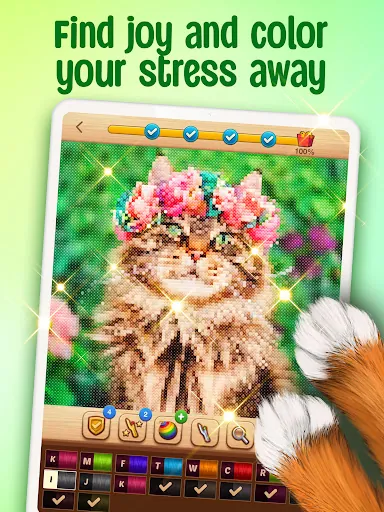
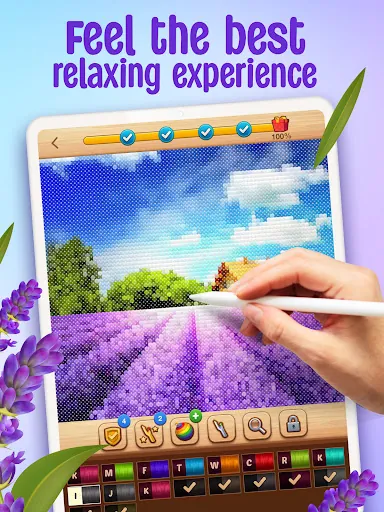
CROSS-STITCH: COLORING BOOK is a digital crafting app that blends traditional cross-stitch patterns with an easy color-by-number interface. It lets users create detailed pixel-art embroidery designs on mobile, offering guided stitching, palette control, and layered patterns for both casual coloring and precise craft planning.
CROSS-STITCH: COLORING BOOK positions itself as a bridge between hobbyist needlework and modern mobile design tools. The app caters to people who enjoy relaxation through repetitive tasks and to makers who want to prototype patterns before using real thread and fabric. The core experience revolves around filling grids with color codes that translate naturally to cross-stitch charts.
From a usability standpoint, CROSS-STITCH: COLORING BOOK keeps controls minimal and context-aware. New users can open a pattern, tap to fill cells, and watch an image emerge without needing advanced knowledge of embroidery terminology. At the same time, the app exposes technical settings for users who plan to export designs to physical stitching projects.
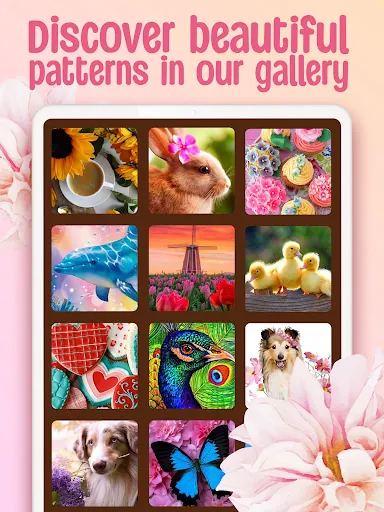
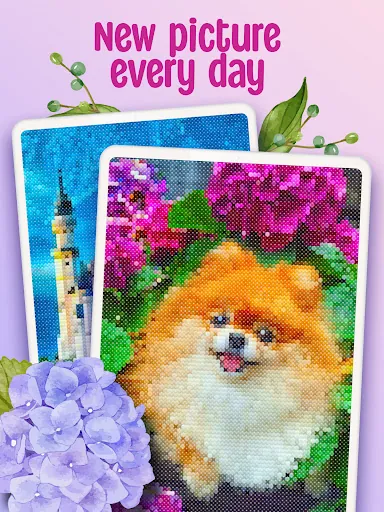
Designing in CROSS-STITCH: COLORING BOOK starts with selecting a canvas size and a pattern source. You can import photos that the app converts into pixelated templates, select premade designs, or begin from a blank grid. The built-in algorithm reduces color complexity to match available thread colors while preserving key shapes and contrasts.
Once the pattern is generated, use the fill tool to apply colors by number, or switch to single-square editing for precise changes. Legends update in real time so you always know how many skeins of each color the project requires.
The interface favors clarity: large grids, clearly labeled tools, and a persistent legend panel. Visual feedback is immediate, and typical phones handle medium-sized projects smoothly. For very large canvases, the app offers progressive rendering and autosave to prevent data loss. Touch targets and gestures are refined for both one-handed use and stylus input.
CROSS-STITCH: COLORING BOOK provides several ways to tailor output. Swap color palettes to match specific brands of embroidery floss, change grid density to simulate different fabric counts, and toggle backstitch or half-stitch indicators. Layer controls let you build complex motifs by stacking patterns and adjusting opacity.
Many users praise CROSS-STITCH: COLORING BOOK for transforming intricate pictures into approachable projects. The combination of a guided coloring mode and exportable stitch charts appeals to both casual colorers and serious stitchers. The app’s balance of automation and manual control allows creative freedom without overwhelming technical detail.
Download, grant basic permissions for file access if you want to import photos, and choose a starting template. Spend a few minutes exploring the palette options and export settings. Newcomers will appreciate the in-app tutorials and sample patterns designed to demonstrate the workflow quickly.
Overall, CROSS-STITCH: COLORING BOOK is a focused tool for anyone interested in pixel-style embroidery design. Whether you want a relaxing coloring experience or a practical pattern generator for real-world stitching, the app streamlines the process and keeps creative control within reach.
File size: 118.40 M Latest Version: 0.200.756
Requirements: Android Language: English
Votes: 472 Package ID: com.playcus.crossstitchcoloringbook
Developer: PLAYCUS LIMITED

Top Free Casual Necessary Games for Android
Looking for some quick gaming fun? Our new super-casual game is perfect for entertaining bursts in your busy day. With simple, intuitive gameplay crossed with challenges that engage your brain, you'll keep coming back again and again. No complex controls or tutorials - just open and play anywhere, anytime. Vibrant art style and upbeat music create a lighthearted experience.






LIVE A HERO
Retro Hero Mr Kim
Empire of Passion
Arcane Quest Legends
Magic Snap: Momotaro
AllStar Manga Heroes
Lunescape
ONE PIECE Thousand Storm JP
Tap Titans 2