
Scan to Download
3D Chess offers a modern take on the classic board game with realistic three-dimensional boards, adjustable camera angles, and AI opponents of varying strength. It blends casual play and serious strategy, making it accessible for newcomers while still challenging veteran players who want a visual, tactical chess experience.
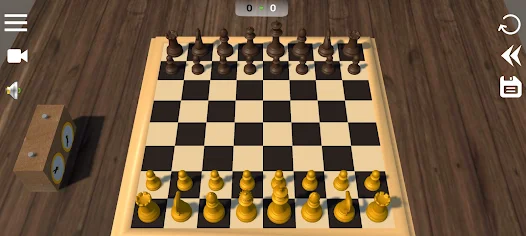
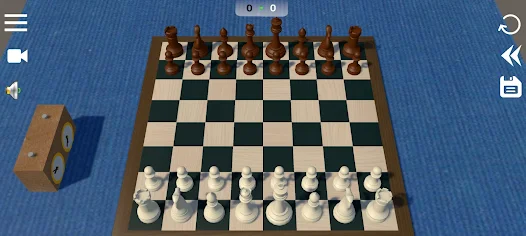
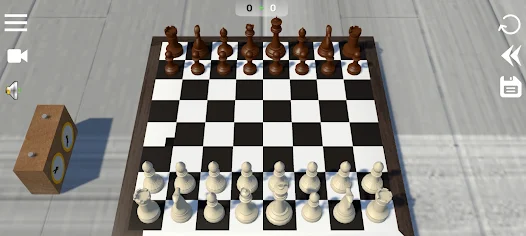
This title recreates standard chess play using depth, shading, and dynamic camera movement to bring pieces to life. The interface balances clarity and aesthetics: pieces are easy to read at a glance, while the 3D view adds context for spatial planning. Expect configurable difficulty, turn timers, and a variety of game modes to keep each session engaging.
Game sessions in 3D Chess follow familiar rules but the presentation affects decision-making. Depth perception and piece visibility change how forks, pins, and diagonals read visually. Matches begin with board setup and optional time controls; from there, the app enforces legal moves while letting players focus on strategy. The AI adapts across levels, so progress feels meaningful: early levels teach basic tactics, mid-levels test opening principles, and advanced settings require deep calculation and long-term planning.
Players who want improvement can use the app as a training ground. Study modes and puzzle challenges isolate common themes such as mating nets, endgame technique, and tactical motifs. Practicing with the engine at slightly stronger levels than your own play accelerates learning: you see typical responses and learn to avoid repeating errors. A built-in review tool helps annotate critical moments, turning each game into a focused lesson.
The controls are intentionally simple: tap to select, drag to move, or use a two-step tap-and-confirm option for more deliberate play. Performance is optimized for a wide range of devices; animations are smooth without draining battery, and graphics quality scales to maintain responsiveness. Menus stay uncluttered, so adjusting timers, choosing board themes, or changing piece sets takes only a few taps.
For players who prefer human competition, the app supports local pass-and-play and online matchmaking. Online features include rating systems, friend lists, and rematch invitations. Matchmaking pairs players by skill range to create balanced encounters. Local play remains a strong option for teaching friends or families together on a single device.
3D Chess combines familiar rules with visual polish and practical training tools. The balance of aesthetics and function makes each game satisfying: casual matches are quick and approachable, while advanced modes offer depth for competitive players. Regular updates add new piece sets and puzzles, keeping the experience fresh without altering the core mechanics.
Install and open the app, choose a board theme, set the AI level or enable online play, and begin a match. Short onboarding tips guide first-time users through camera controls and menu options. Whether you have minutes between tasks or an hour for focused study, the app adapts to your schedule and skill level.
File size: 56.47 M Latest Version: 6.0
Requirements: Android Language: English
Votes: 440 Package ID: com.EagleApps.ChessTitans
Developer: Eagle Apps Ltd
Must Have Puzzle Games for Android
Are you searching for an enjoyable method to strengthen your intellect? Our hottest logical puzzle is tailor-made to offer a stress-free pastime experience. With beautiful graphics and chill background music, you can immerse yourself in an engaging world of logic and critical thinking. Solve increasingly tricky levels at your own pace, with no time pressure or lives system.






LIVE A HERO
Retro Hero Mr Kim
Empire of Passion
Arcane Quest Legends
Magic Snap: Momotaro
AllStar Manga Heroes
Lunescape
ONE PIECE Thousand Storm JP
Tap Titans 2