
Scan to Download
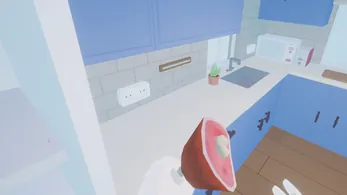
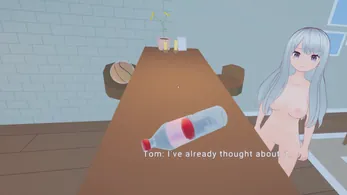
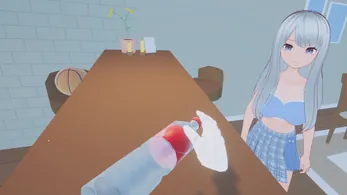
Dare to Lust VR - Demo delivers a short, immersive virtual-reality experience focused on interactive storytelling and atmospheric encounters. The demo showcases basic mechanics, character interactions, and room-scale movement, letting players evaluate visuals, comfort settings, and pacing before deciding whether to explore the full release.
The demo for Dare to Lust VR - Demo acts as an introduction to the game’s tone and systems. You’ll get a compact slice of the core loop: navigate a polished scene, interact with characters through simple prompts, and experience environmental audio and lighting that set the mood. It’s designed to give a clear sense of the developer’s direction without committing to a long playtime.
Gameplay centers on exploration and player-driven choices. As you move through the demo space, interactive hotspots appear where you can trigger short scenes or dialogue. The emphasis is on pacing and atmosphere rather than complex combat systems. Progression in this demo is linear but hints at branching options planned for the full game.
Dare to Lust VR - Demo focuses on clean models and cinematic lighting. Textures are optimized for VR performance, which maintains a steady framerate on supported headsets. The audio design is spatial and layered, providing directional cues and ambient soundscapes that enhance immersion without overwhelming the scene.
The demo is compatible with most major VR headsets and supports common controller layouts. Inputs are grouped into locomotion, interaction, and menu management to keep the learning curve shallow. Haptic feedback is present for key interactions, enhancing a sense of presence without relying on gimmicks.
Accessibility receives clear attention with adjustable subtitles, text size, and comfort options. Customization includes avatar posture adjustments and audio balance controls so players can tailor the experience. These settings help the demo serve both newcomers to VR and experienced players looking to fine-tune immersion.
To make the most of the demo, try different locomotion modes to see which feels best, use the interaction prompts to learn mechanics quickly, and experiment with audio and comfort sliders before settling in. Short breaks are recommended for longer play sessions to maintain comfort.
Dare to Lust VR - Demo functions as an effective sampler: it communicates design intent, showcases technical polish, and highlights comfort options important for VR titles. If the style appeals to you, the demo provides enough content to decide whether the full version will suit your expectations and hardware.
Installation is straightforward via the platform’s usual process. Allow a few minutes for optional content downloads and check the settings menu on first launch to configure controllers and comfort options. Replaying scenes can reveal additional details and branching hints that point toward the full game’s depth.
File size: 126.43 M Latest Version: 1
Requirements: Android Language: English
Votes: 260 Package ID: com.mysticanimeenchantor.daretolustdemo
Developer: mysticanimeenchantor


Best Action Necessary Games for Android
Experience nonstop thrills with our newest edge-of-your-seat action game! With console-quality graphics and intuitive touchscreen controls, you'll be drawn into high-octane combat and stunt-driven gameplay. Choose from an arsenal of upgradable weapons and vehicles to blaze through enemy bases, post-apocalyptic cities, and more. Physics-based action packed with explosions and destructible environments make every level more intense than the last.






LIVE A HERO
Retro Hero Mr Kim
Empire of Passion
Arcane Quest Legends
Magic Snap: Momotaro
AllStar Manga Heroes
Lunescape
ONE PIECE Thousand Storm JP
Tap Titans 2