Lego Junior offers a colorful, child-friendly building and adventure experience designed for young players. The app blends simple construction mechanics with guided missions, introducing toddlers and early readers to creative play, problem solving, and light exploration across themed levels, all presented with clear tutorials and gentle pacing.
Lego Junior places children in a series of bite-sized play scenes where they assemble vehicles, houses, and small machines using oversized bricks and straightforward instructions. The emphasis is on exploration rather than competition: short objectives guide progress while allowing space for open-ended building and imaginative storytelling.
Gameplay focuses on a few easy-to-learn systems that keep young users engaged without overwhelming them. Drag-and-drop construction, contextual hints, and staged challenges introduce new pieces and functions gradually. Players complete short missions that teach sequencing, cause-and-effect, and basic spatial reasoning while unlocking additional themed sets and mini-games.
The app is organized into colorful worlds, each with its own visual style and set of goals. Characters are designed to be approachable and diverse, with friendly guides that prompt the child through tasks. Levels are short, typically taking only a few minutes, which helps maintain focus and offers natural stopping points for parents. Special themed packs add variety: for example, farm, city, and dinosaur sets provide distinct elements and objectives to collect.
Progression is gentle and rewarding. Completing missions grants stickers, simple rewards, or new bricks that expand the toybox. A clear, kid-friendly map shows which areas are unlocked and where new challenges can be found. There’s no harsh failure state; if a player struggles, the game offers soft hints and an option to simplify challenges so the experience stays positive.
Lego Junior uses large touch targets and simplified gestures to suit small hands. Interface elements are high-contrast and labeled with icons and minimal text. An auto-play assist can demonstrate a step for players who prefer to watch before trying, and adjustable audio cues help children who rely on sound prompts. These thoughtful controls make the app accessible for a range of developmental stages.
Beyond structured missions, the free-build mode lets kids experiment with pieces without objectives or timers. Custom skins, sticker packs, and color options let players personalize creations and share them locally with supervised friends or family. The customization is intuitive: tap a piece, select a color, and place it — no complicated menus to navigate.
Safety is built-in: an in-app gate protects purchases and external links, and playtime settings let caregivers set session lengths. Progress reports summarize activities and highlight learning milestones such as sequence completion and problem-solving attempts. No ads interrupt play, keeping the environment secure and focused on creativity.
The visual style mirrors physical bricks with soft shadows, bright palettes, and friendly character animations. Sounds are cheerful but not overstimulating; short musical cues reward achievements and subtle effects reinforce actions like snapping a brick into place. The result is a warm, tactile feeling that mimics real-world play.
Installation is straightforward and the app runs smoothly on most modern tablets and phones. Minimal updates keep content fresh without large downloads, and offline play is supported for most core features, making it suitable for travel or screen-time with limited connectivity.
Families appreciate Lego Junior for its balance of guided learning and open-ended creativity. The app's approachable mechanics, child-safe design, and steady progression encourage repeated play while developing early STEM and storytelling skills. For parents looking to introduce constructive digital play, Lego Junior provides a gentle, educational playground that mirrors the best parts of physical building toys.
File size: 72.90 M Latest Version: 6.8.6085
Requirements: Android Language: English
Votes: 130 Package ID: com.lego.bricksmore
Developer: LEGO System A/S

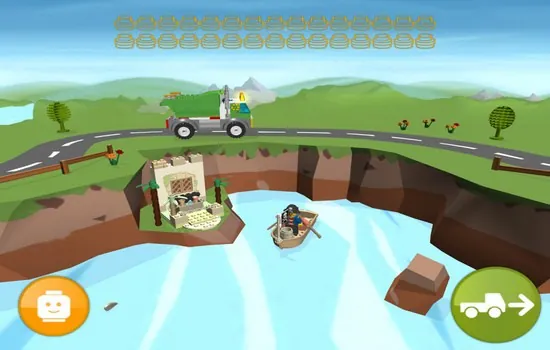
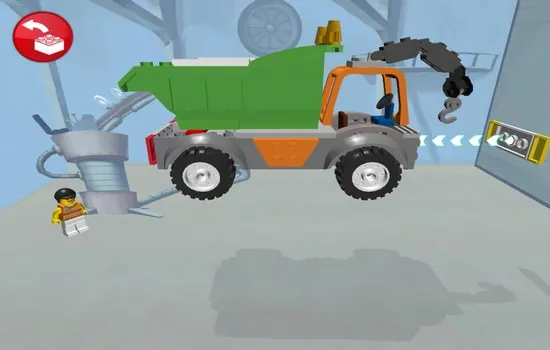
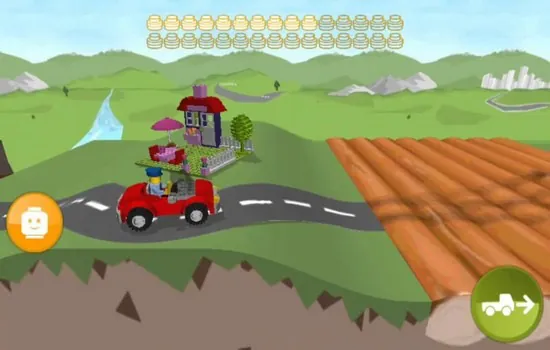

Let your child's creativity shine with our new game made just for kids! With cute graphics and fun challenges, this game will keep them entertained for hours. Children can build their own worlds, customize adorable characters, and let their imaginations run wild. With simple controls perfect for little hands and no ads or external links, you can feel at ease while they play independently.





LIVE A HERO
Retro Hero Mr Kim
Empire of Passion
Arcane Quest Legends
Magic Snap: Momotaro
AllStar Manga Heroes
Lunescape
ONE PIECE Thousand Storm JP
Tap Titans 2