Scan to Download
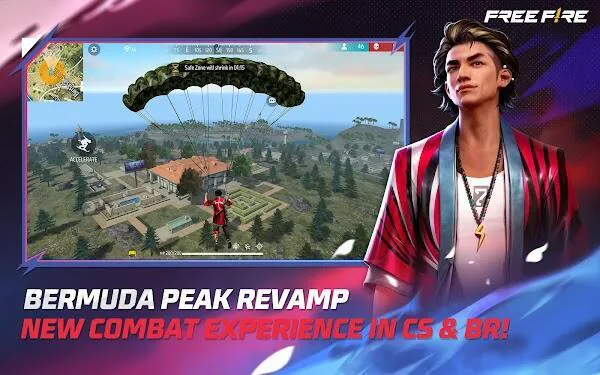
Sensitivitas FF Auto Headshot is a compact utility designed for Free Fire players who want a practical way to refine aiming and increase headshot consistency during matches. Sensitivitas FF Auto Headshot combines an auto headshot tool, adjustable sensitivity presets and an optional aim assist so users can quickly switch between setups for close-quarters fights and long-range engagements. The app is presented as a lightweight, focused toolbox rather than a suite of unrelated features, and it aims to help players spend less time in menus and more time practicing with consistent settings.
The core of the app is a configurable auto-targeting system that gives priority to head-level aiming while leaving control in the user’s hands. Sensitivity controls include multiple presets and per-map or per-weapon adjustments so you can create distinct profiles for different combat scenarios. Optional aim-assist functionality reduces lock-on time and improves tracking for moving opponents, while predictive targeting tools help compensate for target movement at longer distances. A customizable HUD lets you move and resize indicators so they are visible without obscuring the action, and optional ESP overlays provide additional situational awareness by highlighting loot and likely enemy positions when enabled. The overall feature set is aimed at improving raw accuracy and consistency rather than overwhelming the player with unnecessary extras.
The controls are intentionally straightforward: preset selectors, sliders for horizontal and vertical sensitivity, and toggle switches for optional modules like aim-assist and ESP. Users can create, name and save multiple profiles to switch quickly between playstyles, and each profile can store map-specific or weapon-specific sensitivity values. HUD elements are draggable and resizable so players can place indicators on-screen where they are least distracting. For new players, documented default presets provide a sensible starting point, and advanced users can fine-tune prediction parameters and lock-on speed to match their personal aim rhythm.
The app supports iterative improvement by encouraging players to test and refine settings across different match types and maps. While Sensitivitas FF Auto Headshot does not change in-game progression systems, the practical effect of better-tuned controls is often faster skill development: users can isolate aiming variables, practice with a saved profile, review performance, and adjust sensitivity to reduce overcorrection or jitter. This cyclical approach makes it easy to measure progress and retain muscle memory across sessions. Replay value comes from ongoing tuning: as your playstyle or preferred weapons change, the same set of profiles can be adapted rather than rebuilt from scratch.
The interface is kept minimal with clear typography and high-contrast sliders so settings remain readable in varied lighting conditions. Adjustable contrast and scalable elements improve accessibility for players with different vision needs, and the app’s small footprint helps it run smoothly on mid-range devices. Sensitivitas FF Auto Headshot is designed to operate without continuous online connectivity for core configuration and profile management, allowing players to prepare and tweak settings while offline before jumping back into matches.
Users should be aware of the risk that any form of aim assistance or visibility overlay may be detected by a game’s anti-cheat systems; the developers have implemented protective measures, but no tool can guarantee immunity from detection. Relying heavily on assistive features can also slow development of raw aiming skill, so the app is intended as a training and tuning aid rather than a permanent crutch. Compatibility varies by device and game version, so it’s recommended to test features in practice modes where available before using them in competitive play.
The app is maintained by a small team of Free Fire enthusiasts focused on practical improvements and user feedback. Recent updates to Sensitivitas FF Auto Headshot have prioritized stability, improved lock-on responsiveness and clearer HUD customization options based on user reports. The developers document changes in each release so you can see which adjustments are intended to improve performance or reduce interference with normal gameplay, and they recommend incremental changes to find the best balance between assistance and manual control.
File size: 82.70 M Latest Version: 1.105.1
Requirements: Android Language: English
Votes: 163 Package ID: com.dts.freefireth
Developer: Garena International I


Best Action Necessary Games for Android
Experience nonstop thrills with our newest edge-of-your-seat action game! With console-quality graphics and intuitive touchscreen controls, you'll be drawn into high-octane combat and stunt-driven gameplay. Choose from an arsenal of upgradable weapons and vehicles to blaze through enemy bases, post-apocalyptic cities, and more. Physics-based action packed with explosions and destructible environments make every level more intense than the last.




LIVE A HERO
Retro Hero Mr Kim
Empire of Passion
Arcane Quest Legends
Magic Snap: Momotaro
AllStar Manga Heroes
Lunescape
ONE PIECE Thousand Storm JP
Tap Titans 2